
Pricing. Choice. Procurement.
Spare parts search for professionals
B2B procurement platform for auto repair shops, parts stores and fleets. Compare supplier offers in a single cabinet.
No middlemen — only suppliers and real prices.
 For those who know the value of time
Your workplace — in the browser
All the pricing. In one cabinet.
Brand, article, supplier, price and stock — side by side. Key terms are visible at a glance, and filters help narrow the choice.
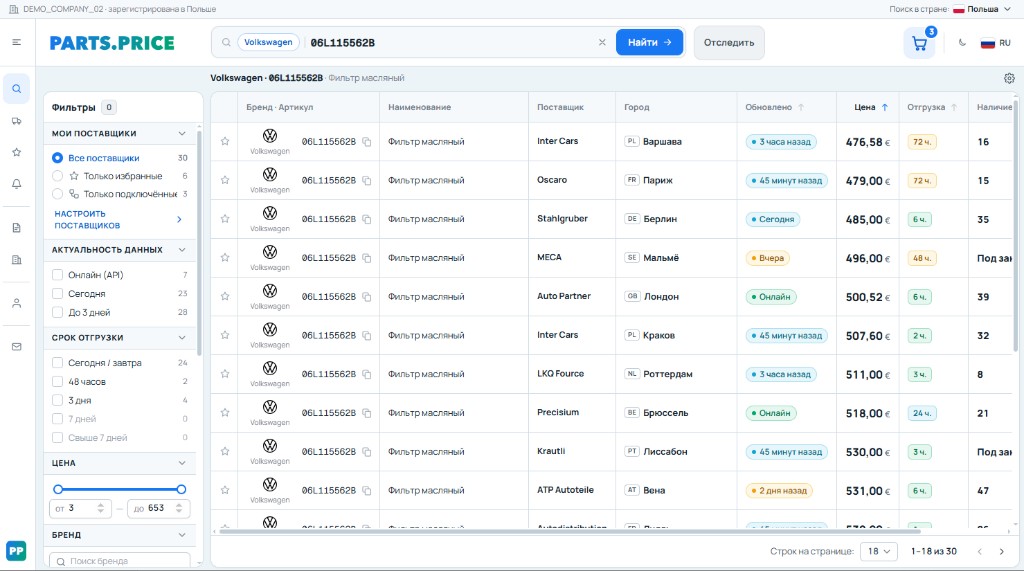
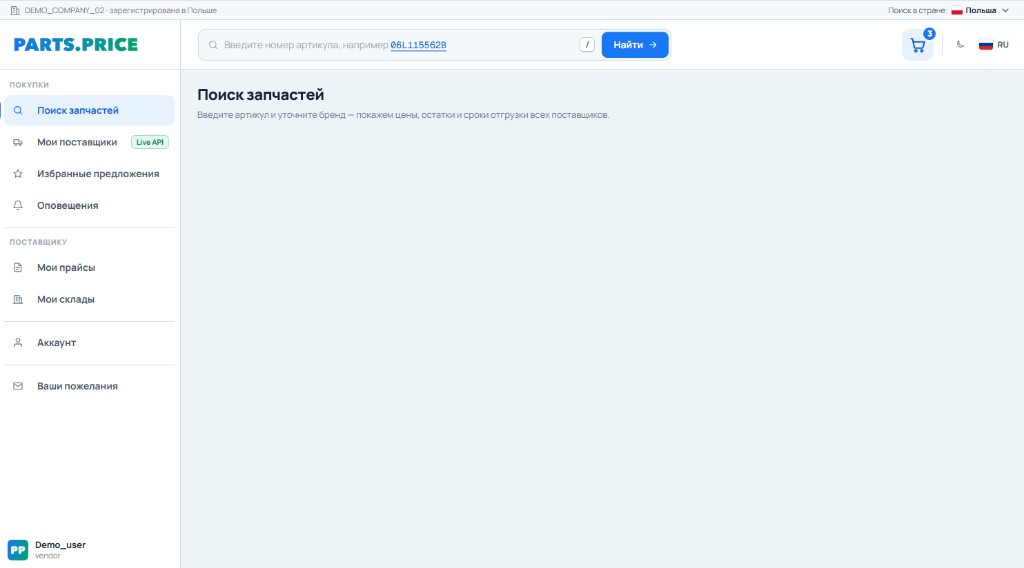
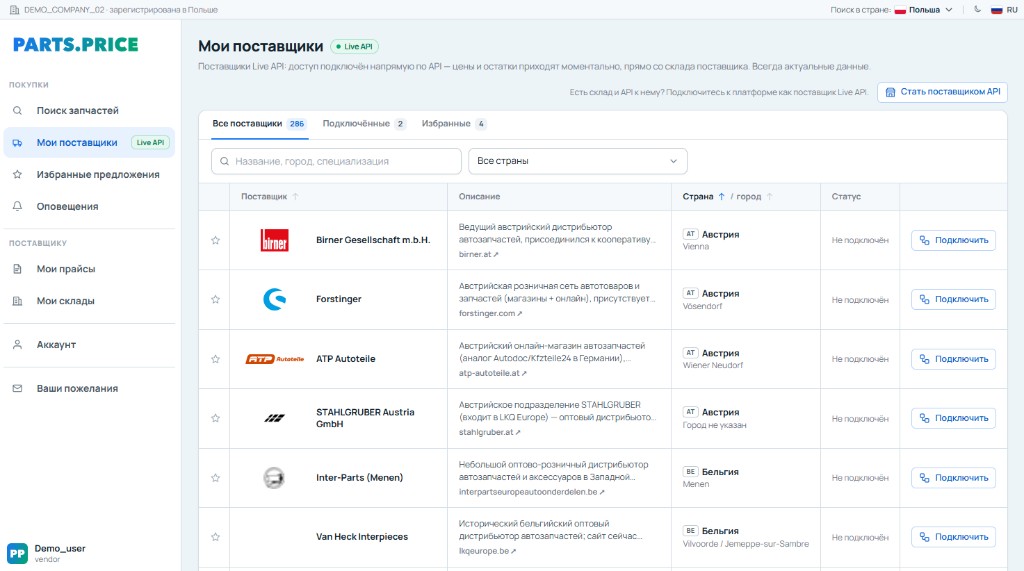
- Comparing offers
- Brand refinement
- Quick filters

For your daily work
Fewer tabs. More time for the job.
When a customer is waiting for an answer, it helps to see the options at a glance. In PARTS.PRICE, search and offer comparison live in one cabinet.
Auto repair shops
Pick parts for the repair and factor in shipping times to plan work on the vehicle.
Parts stores
Compare options for your customer: the right brand, the right price and available quantity.
Fleets
Work from a needs list and choose terms for scheduled maintenance.
A clear path to procurement
From request — to choice.
Specify the part
Enter the article and refine the brand. For a larger job, use a parts list.
Review the offers
Compare prices, availability, suppliers and shipping terms.
Refine the choice
Shortlist suitable brands, timelines and available quantities.
Assemble the purchase
Select offers and get supplier contacts to place the order.
For suppliers
Your assortment. In front of professionals.
Publish your offers for those who buy parts every day. Manage price lists, prices and stock in your own cabinet.
- File, HTTP or Live API upload
- Statuses and update history
- Viewing and editing items

In short
Questions? Start here.
How pricing works and how to get started with PARTS.PRICE.
It is comparing offers for the part you need: what it costs from different suppliers, whether it is in stock and when it can be shipped. You pick the right mix of price and terms.
Your next work tool
A good purchase starts with a choice.
See what working with offers looks like in PARTS.PRICE.